
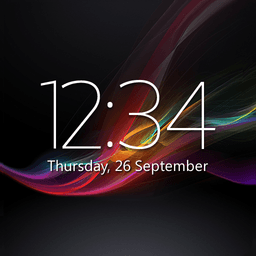
Screenshots
About Digital Clock & Weather Widget
Digital Clock & Weather Widget is a stylish, highly customizable home screen widget that combines real-time weather updates with an elegant digital clock display—all in one compact, tap-enabled package.
Take control of your widget's appearance with four resizable styles: small (2x2), big (4x3), wide (4x1), and tall (2x3). Choose from 18 unique fonts, then fine-tune the time and date color and size to match your home screen aesthetic. Add a semi-transparent backplate with adjustable coloring for extra polish, or keep it minimal for a clean look.
Stay informed with location-based weather data delivered directly to your widget. Display current conditions, multi-day forecasts, severe weather alerts, and air quality information—everything you need to plan your day at a glance. Tap the widget to launch your preferred weather app, alarm app, calendar, or any other application you use frequently. Customize clickable app shortcuts to display up to 6 of your most-used apps, automatically calculated from your device usage patterns, or hand-pick your favorites instead.
The free version gives you essential functionality with advertisements. Unlock the full potential with a Premium upgrade: access 25 additional fonts plus custom font uploads, display time and weather across multiple locations and time zones, view battery level information, receive weather notifications, adjust text and backplate transparency independently, and enjoy an ad-free experience.
Back up your widget settings and restore them instantly—switching devices or reinstalling has never been smoother. All your customizations are preserved and ready to go.
Digital Clock & Weather Widget respects your privacy while delivering the information you need. Location data enables accurate weather forecasts and relevant updates. The app uses accessibility services to identify your most frequently used applications, helping you stay connected to what matters most.
Note: After updating, restart your device if the widget displays "Problem loading widget." On some devices, you may also need to restart after initial installation for the widget to appear in your widget list. For setup help, visit the Help section in the app settings.
Have questions or need support? Contact us at [email protected]—we're here to help. Interested in translating Digital Clock & Weather Widget into your language? We welcome community contributions.
Pros & Cons
Pros
- Four resizable widget styles fit various home screen layouts
- 18 fonts plus custom uploads available with Premium
- Location-based weather alerts and air quality data included
- Tap shortcuts to launch your 6 most-used apps directly
Cons
- Free version displays advertisements on the widget
- Requires location permissions for accurate weather forecasts
- Device restart needed after installation or updates to function
- Premium subscription required for multi-location time zone display
Related Apps

AlienGUIse
Desktop themes and manager for Windows — transform your system with 5 futuristic designs.

SharpKeys
Remap keyboard keys to launch apps, media controls, and custom commands on Windows.

RocketDock
Desktop launcher for Windows — quick access dock with customizable icons and positioning.

Custom Resolution Utility (CRU)
Display resolution utility: Create custom resolutions for your monitor with precise refresh rate control.

Lagguy Wallpapers
Lagguy
4K & HD wallpapers for Android — minimal, abstract, nature, AMOLED designs with lifetime access

Lock Screen OS
Apps Genz
Customize your lock screen with widgets, photos, and notifications. Replace Android's default lock screen.
Latest Articles

Play a free Color Ball Sort Puzzle-style game in your browser (no download)
Oct 6, 2026

Play a free Beach Buggy Racing-style kart racer in your browser (no download)
Oct 6, 2026

Play a free Alto's Adventure-style game in your browser (no download)
Oct 6, 2026

Free online whiteboard like Jamboard: use Quickboard in your browser, no signup
Oct 6, 2026

Free online running pace calculator: splits, race predictor and daily challenge, no download
Oct 6, 2026